


 2
2
NNTP pipelining is a SABnzbd performance setting that enables sending multiple article requests simultaneously rather than waiting for individual responses. This can boost transfer speeds, particularly on high-latency connections or when using fewer connections.
Why Use NNTP Pipelining?
This feature reduces idle time by queuing multiple requests. Keeping the connection active improves throughput under specific network conditions.
You may see the biggest benefit when:
- Your connection has higher latency
- You are using a lower number of connections
- Your available bandwidth is not fully utilized
In low-latency environments or with many active connections, the performance gains may be minimal.
How to Enable NNTP Pipelining in SABnzbd
Follow these steps to configure pipelining in SABnzbd:
Step 1: Open Server Settings
- Access the SABnzbd web interface.
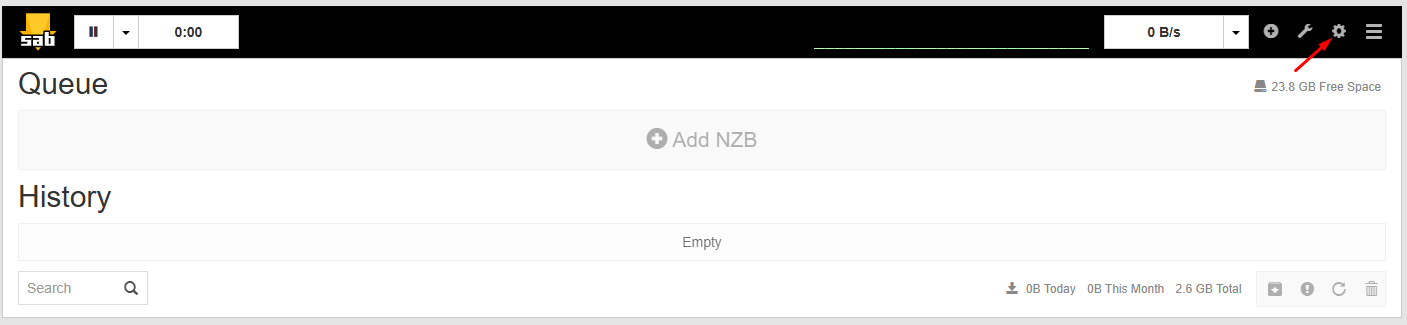
- Click Settings
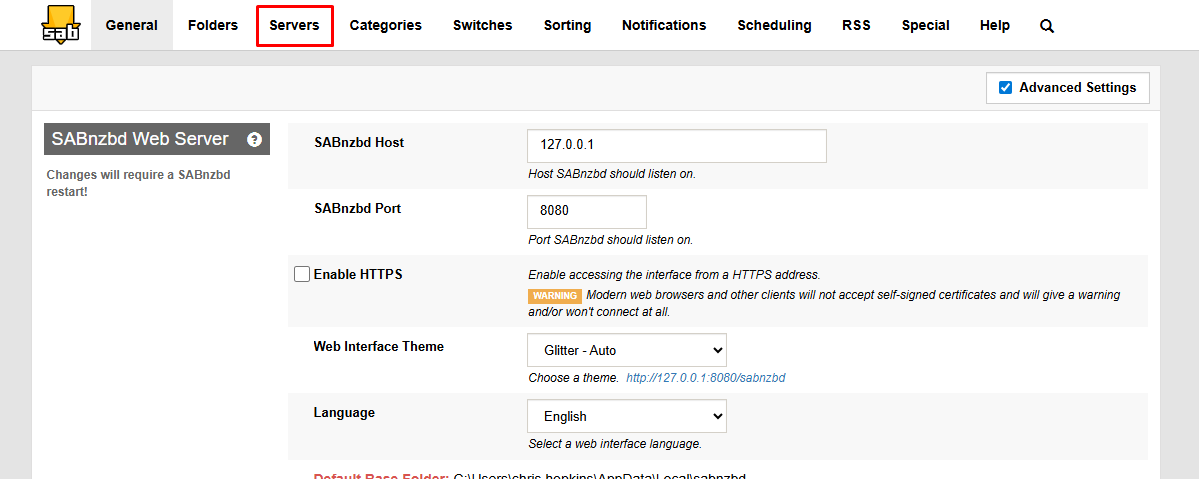
- Go to the Servers tab
Step 2: Edit Your Server
- Find your UsenetServer configuration in the list
- Click Show Details next to the server to open advanced options.
Step 3: Adjust Articles per Request
- Locate the Articles per request setting
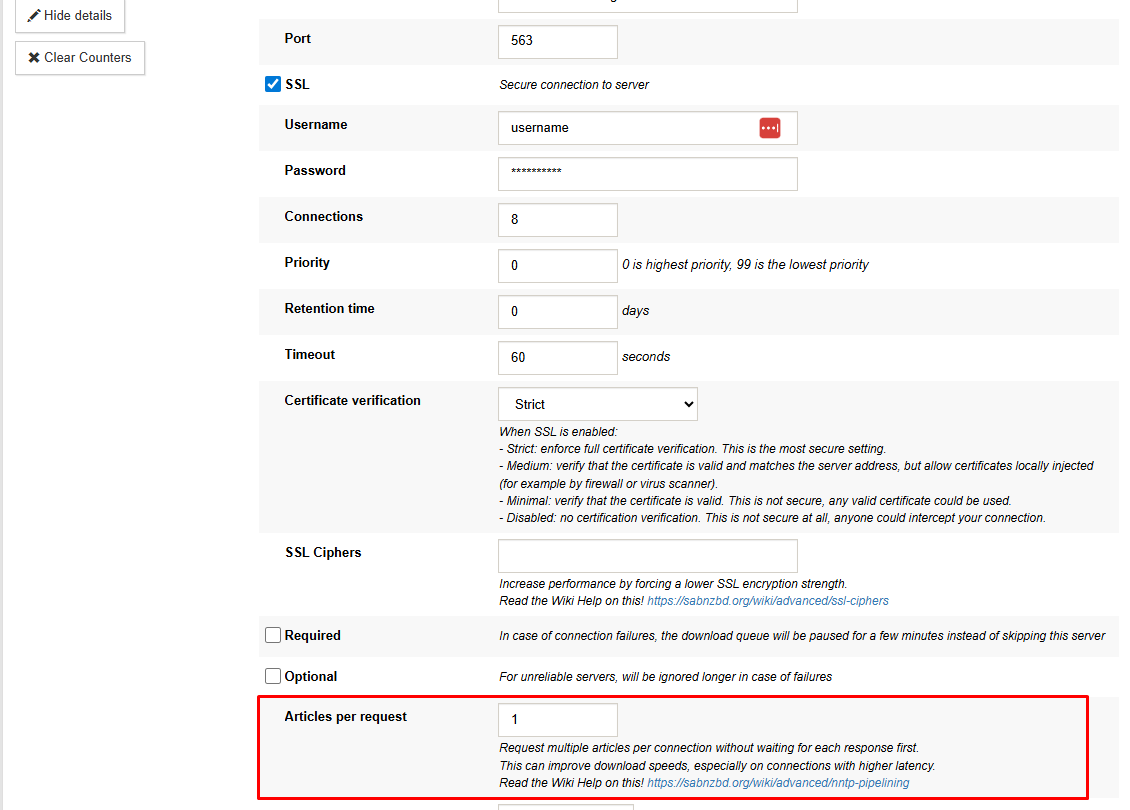
- Enter a value to set how many articles are requested at once.
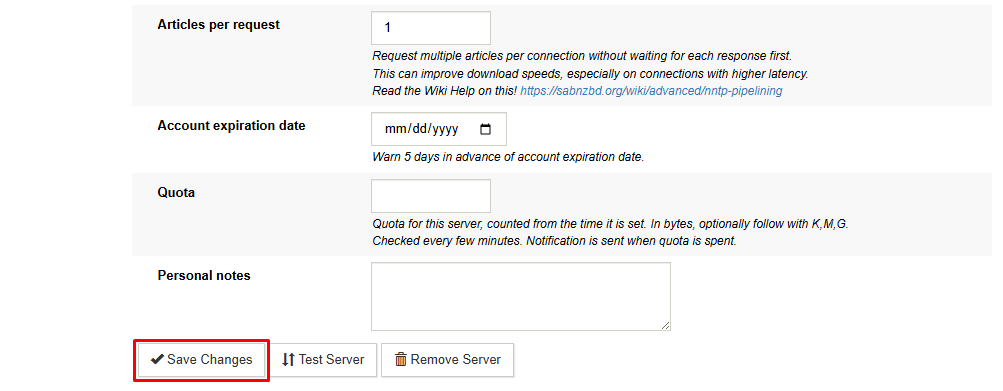
- Save your changes
Choosing the Right Value
The optimal value depends on your specific setup; there is no universal "best" setting.
- Start with a moderate value (e.g., 5–20)
- Increase gradually if speeds improve
- Reduce the value if performance becomes unstable
Higher values can improve efficiency on slower or higher-latency connections, but very high values may not provide additional benefit.
Important Considerations
- Adding more connections doesn't always increase speed, as some plans cap throughput regardless of connection count.
- NNTP pipelining can help maintain performance with fewer connections.
- Users closer to UsenetServer infrastructure may experience lower latency and see smaller improvements.
When to Use NNTP Pipelining
Enable this feature if:
- Speeds are lower than expected despite available bandwidth
- You are limited in the number of connections you can use
- You are running SABnzbd with higher round-trip times
If your connection already operates near its maximum bandwidth, pipelining may not provide a noticeable difference

